
Navigate Modern Campus

Think of the Modern Campus Dashboard as your personal home base. It’s where you’ll find your "to-do" list, see which pages you currently have open and get a quick snapshot of what’s happening across your site. The top navigation bar is your main tool for jumping between sections, while the gadget sidebar on the right keeps your favorite shortcuts just a click away. Once you get a feel for the layout, you’ll find that everything you need is usually right where you expect it to be.
Finding your pages is just as simple. You can dive into the Content > Pages menu to browse through your folders, or use the DirectEdit link on your live site to jump straight into the editor. This section will show you how to navigate the file structure like a pro and use filters to find exactly what you’re looking for in seconds. No more digging through folders—just quick, easy access to your content so you can get back to your day.
Gain insights into recent activity, checked-out content, and messages
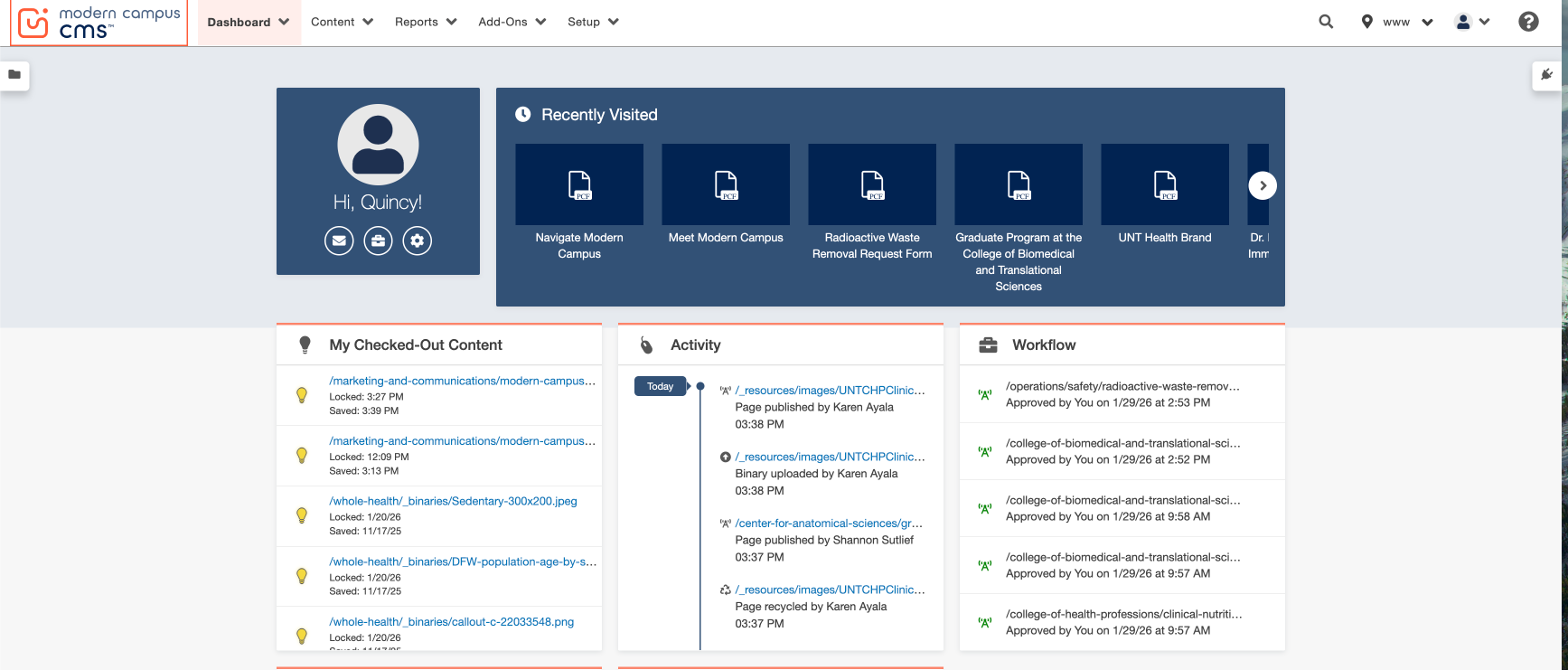
Access sites from the top navigation bar

Modern Campus CMS
Learn to navigate back to the dashboard by clicking the Modern Campus CMS button.
Dashboard
The dashboard is the default screen that includes links for working in Modern Campus, checked-out content and recent activity.
Content
This menu is where users can access and edit webpages.
Find your pages
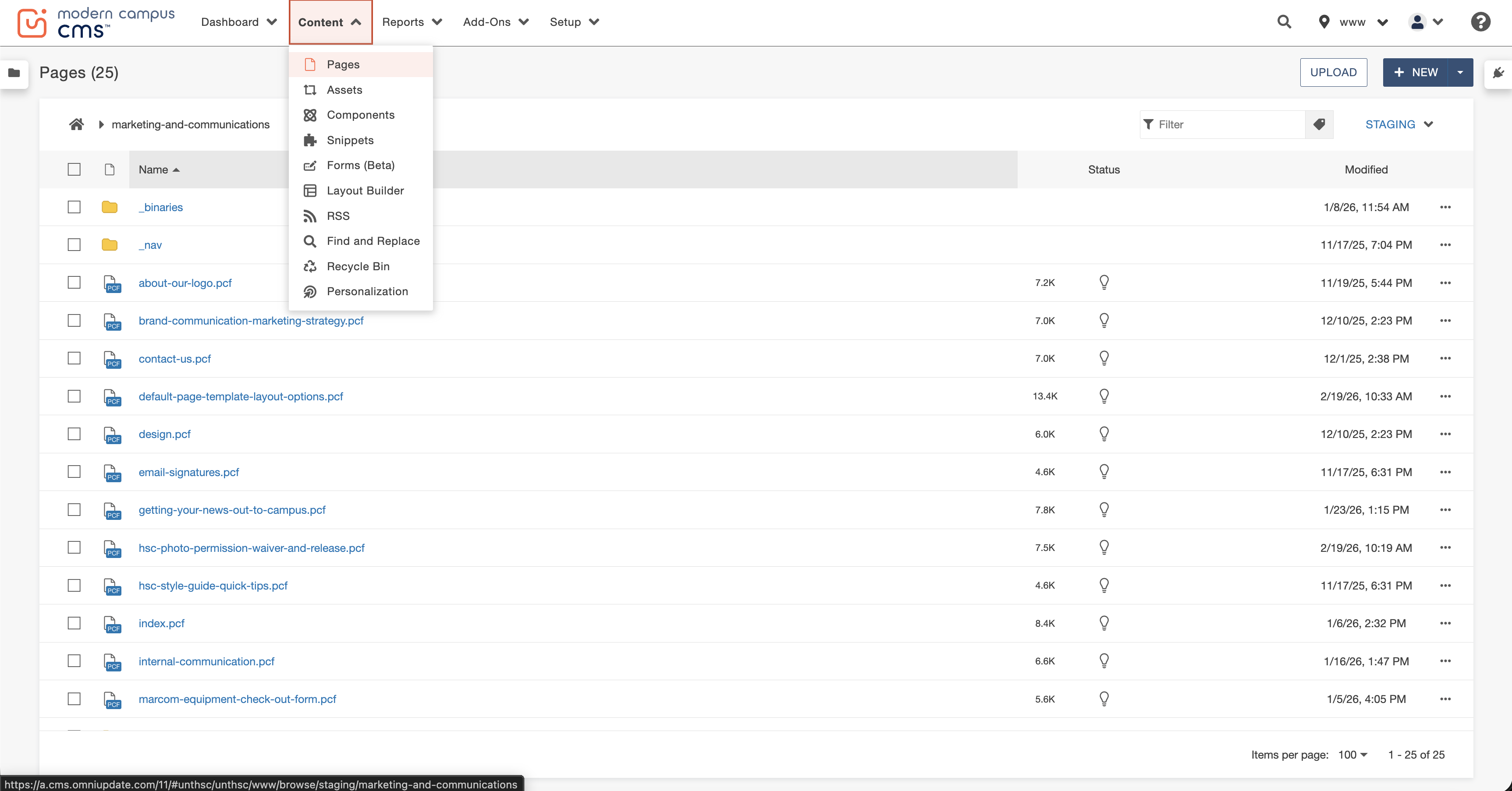
The view inside a folder(subsite) is organized in each column with information about the files:
- File Name: The file name is another name for page name; it may not be the same as the title in the web banner.
- File Size: Try to keep images under 3 megabytes to optimize loading times.
- Status: Available (light bulb outline), checked-out (yellow light bulb), or locked (red padlock)
- Modified Date: The last time the file (page) was edited and saved
- More Action Ellipsis: Provides additional actions regarding the file
Additional functions include the + New button at the top right corner, which allows users to create new content, the Upload button at the top right corner is for uploading files.
To open a page, click the name of the file in the pages list view. You can also click the more actions ellipsis and select edit and then file. As a reminder, the options available on based on permission level.

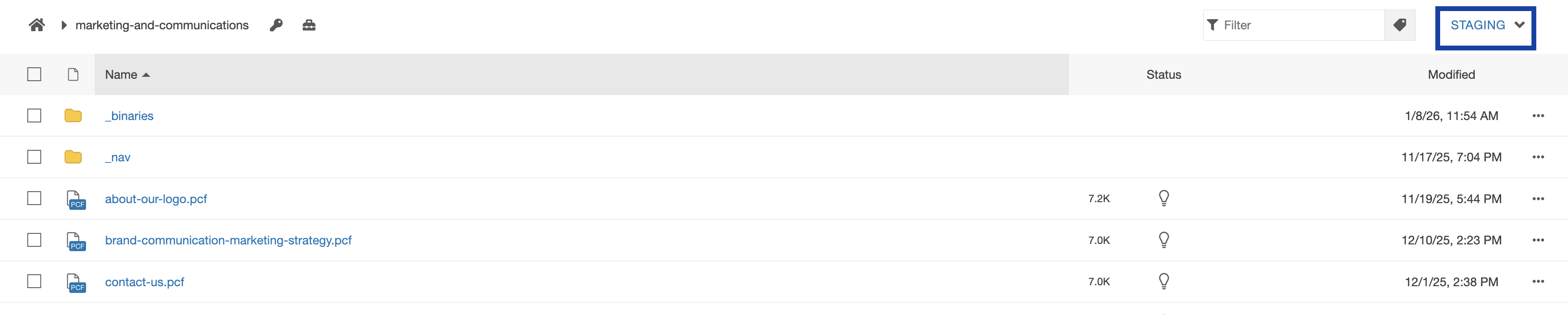
There are two separate environments in Modern Campus. Content is usually edited and tested in staging and then published to production.
Staging
- Only visible to editors inside Modern Campus CMS
- Documents can be edited
- Files are created within the pages list view
Production
- Visible to the public and search engines
- Files in production are not editable
- Files are created when the corresponding .pcf in staging is published

*To switch between these environments, click the blue staging or production in the upper right hand corner of the pages list view.